> ## Documentation Index
> Fetch the complete documentation index at: https://docs.modularmind.app/llms.txt
> Use this file to discover all available pages before exploring further.
# Intelligent Action Use
> How Maia dynamically discovers and uses the right tools for your workflows
## Smart Tool Selection
Maia doesn't require you to manually specify which connections to use. It intelligently selects the right actions based on your intent.
Think of it like talking to a skilled assistant who knows which tools to reach for — you describe the outcome, not the implementation.
## Suggested Actions vs. Available Actions
### Suggested Actions
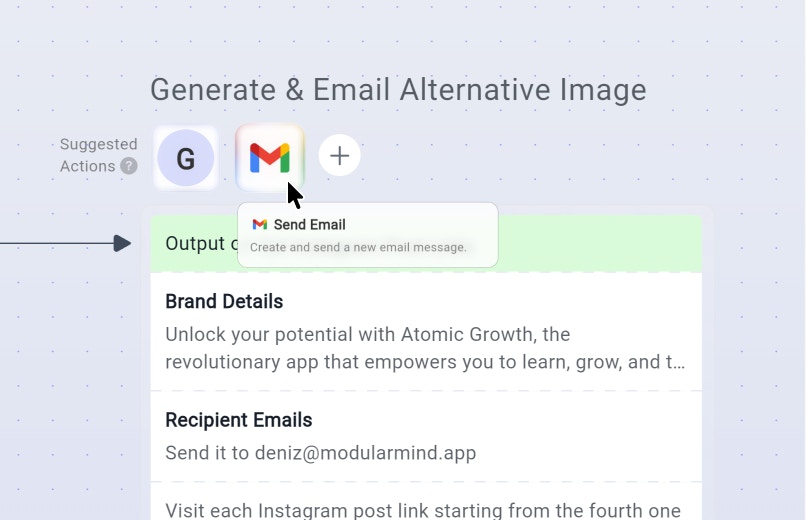
When building a workflow, Maia **suggests** actions for AI agents based on your request:
**Your Request:**
```
"Retrieve Instagram posts from my feed, generate a similar
image for posting,and email me it as an attachment."
```
**Maia's suggested actions for the prompt:**
* Generate Image: Create an image using Nano Banana Pro
* Gmail: Send email with attachment
These suggestions appear in the workflow visualization before execution.
 ### Available Actions (Dynamic Discovery)
During execution, if Maia encounters a situation not covered by the plan, it **searches its action library** for solutions:
**Scenario:**
* Planned action: "Read the report from Dashboard"
* Problem: Dashboard requires 2FA code
* **Dynamic discovery**: Maia searches for "Get 2FA code" actions
* **Finds**: Gmail action to read 2FA code from email
* **Executes**: Reads code, completes authentication, proceeds with download
**Result:** Workflow adapts without manual intervention
Learn how to teach Maia new actions with custom API calls
### Available Actions (Dynamic Discovery)
During execution, if Maia encounters a situation not covered by the plan, it **searches its action library** for solutions:
**Scenario:**
* Planned action: "Read the report from Dashboard"
* Problem: Dashboard requires 2FA code
* **Dynamic discovery**: Maia searches for "Get 2FA code" actions
* **Finds**: Gmail action to read 2FA code from email
* **Executes**: Reads code, completes authentication, proceeds with download
**Result:** Workflow adapts without manual intervention
Learn how to teach Maia new actions with custom API calls