

Turn Tasks into Routines
Scheduled deployments let you run workflows at specific times without manual intervention — hourly, daily, weekly or monthly, with custom schedules.Setting Up a Schedule
When deploying a workflow, navigate to the Schedule Your Workflow section to configure automatic execution at your preferred intervals.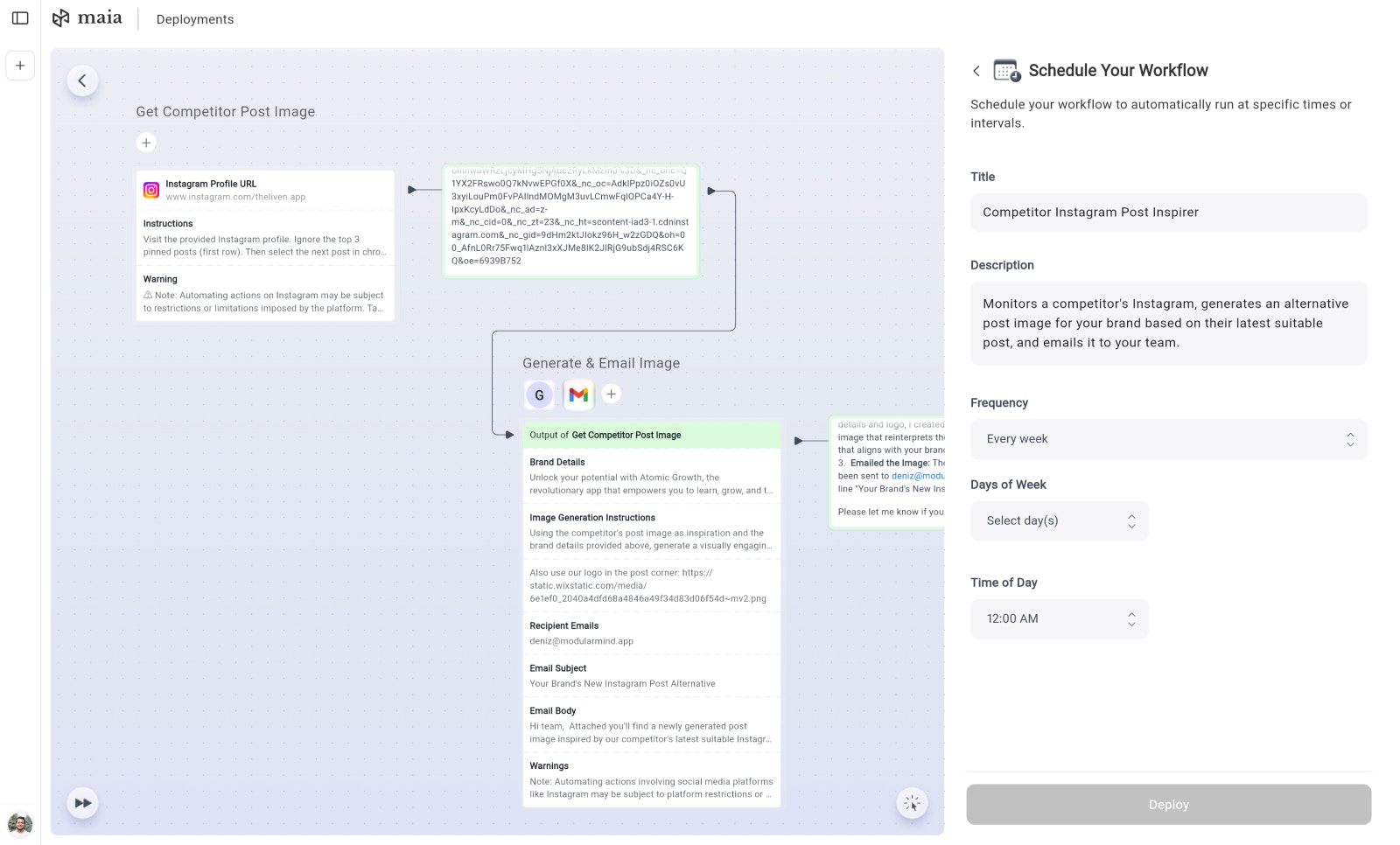
Scheduling Options
Every Hour
Every Hour
Triggers every hour at your chosen minute offset. Perfect for real-time monitoring tasks, frequent data updates, or time-sensitive automations that need to run throughout the day.Configuration:
- Select minute offset: 0, 15, 30, or 45 minutes past the hour
Every Day
Every Day
Triggers once per day at your specified time. Ideal for daily reports, routine maintenance tasks, or regular content updates.Configuration:
- Select the time of day (e.g., 12:00 AM) when the workflow should execute
Every Week
Every Week
Triggers on specific days of the week at your chosen time. Great for weekly reports, periodic reviews, or tasks that align with your business week.Configuration:
- Choose which day(s) of the week the workflow should run
- Select the hour to trigger execution
Every Month
Every Month
Triggers on specific day(s) of the month at your chosen time. Perfect for monthly reports, billing cycles, or end-of-month processes.Configuration:
- Select which numbered day(s) of the month (1-31) to run
- Choose the hour to trigger execution
Use Cases
Daily Reports
Generate and email performance reports every morning at 9 AM
Social Media Monitoring
Check competitor posts hourly and get notified of new content
Weekly Summaries
Compile weekly analytics every Monday at 8 AM
Monthly Invoicing
Process billing and send invoices on the 1st of each month
Best Practices
1
Choose the Right Frequency
Match your schedule to your actual needs. Hourly schedules consume more resources — use them only when necessary.
2
Consider Time Zones
Times are set based on your account’s timezone. Ensure your chosen time aligns with your target audience or data availability.
3
Test Before Scheduling
Run your workflow manually first to verify it works correctly before setting up automatic execution.
4
Monitor Performance
Check your scheduled workflow runs regularly to ensure they’re running successfully and producing expected results.
Next: Webhooks
Learn how to trigger workflows from external events